
How to enable the Tab Preview and Tab Preview Panel features in Firefox 3.6
Compatibility:

Works with: Firefox 4.0+
Background
In the early days of development of Firefox 3.1/3.5 there was a planned ‘Tab Preview’ feature for displaying thumbnails when switching between tabs similar to the Windows Vista/7 Alt+Tab interface. For whatever reason this feature ended up being scrapped from the final Firefox 3.5 release in June 2009. While this feature was added to Firefox 3.6 (also available in 4.0), it is disabled by default.
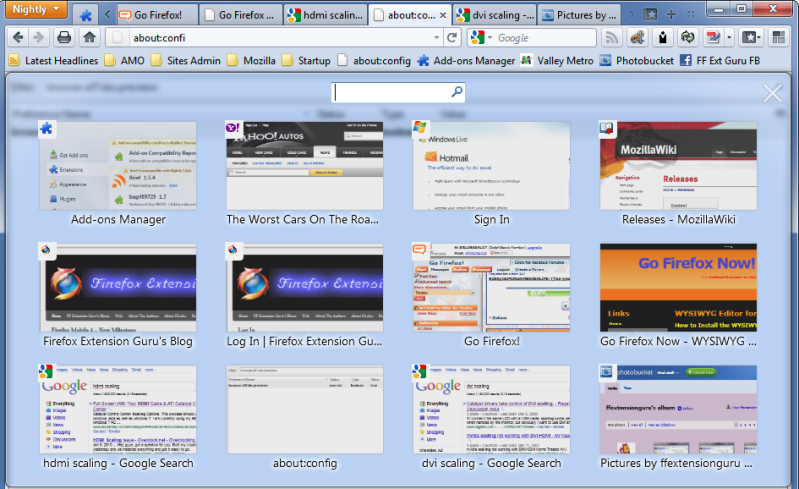 The ‘Tab Preview Panel’ via the List All Tabs button
The Tweak
Enabling the Tab Preview feature is done by changing an about:config entry. There is also a Tab Preview Panel that will display thumbnails of all your tabs.
- Enabling Tab Preview:
- Open a new tab enter about:config in the address bar and press enter.
- Filter for browser.ctrlTab.previews
- Double-click on the entry to change the value to TRUE
- Enabling Tab Preview Panel
- Open a new tab enter about:config in the address bar and press enter.
- Filter for browser.allTabs.previews
- Double-click on the entry to change the value to TRUE
Notes
As of Firefox 8.0 release in November 2011, this feature is still turned off by default.
Original Article
Updated: November 15, 2025


